01Plan
Know what to buy before you run out.
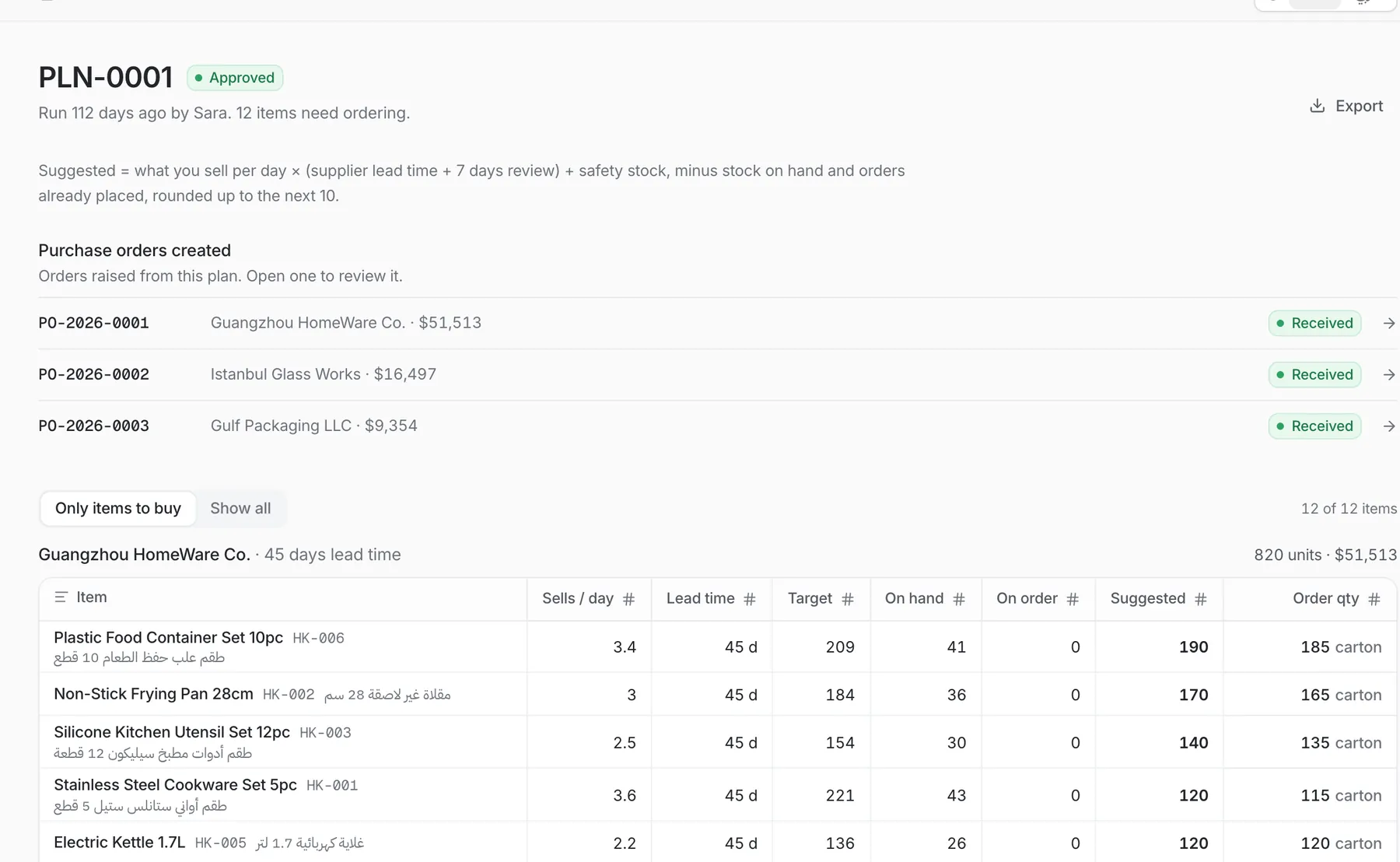
Silsila reads daily sales, supplier lead time, stock on hand and orders already placed, then suggests quantities per supplier. Approve the plan and the draft purchase orders are created for you.
Supply chain for importers and distributors
Silsila ties planning, purchasing, shipping, landed cost, branch distribution and stock counts together, in Arabic and English, so nothing falls between the spreadsheets.
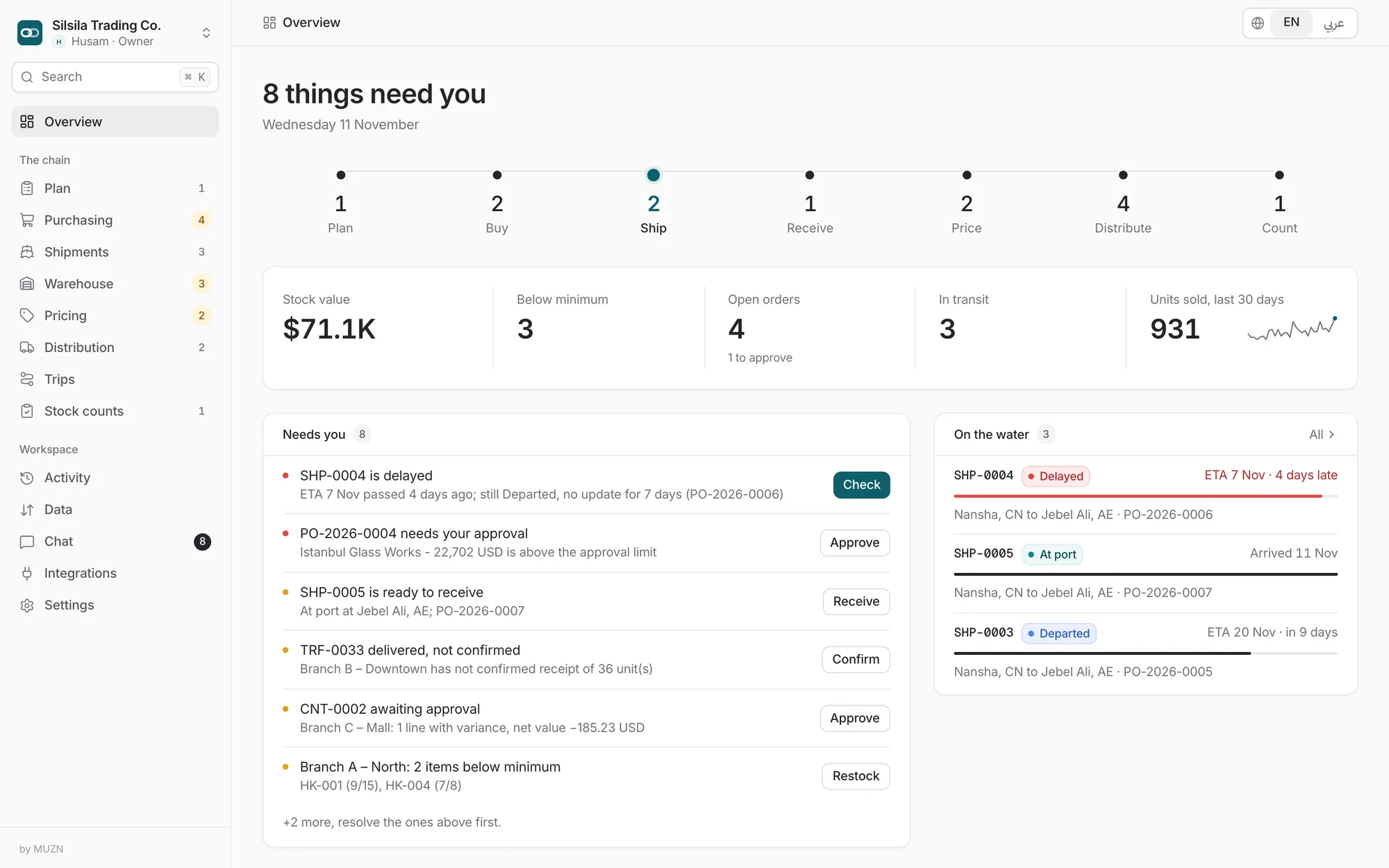
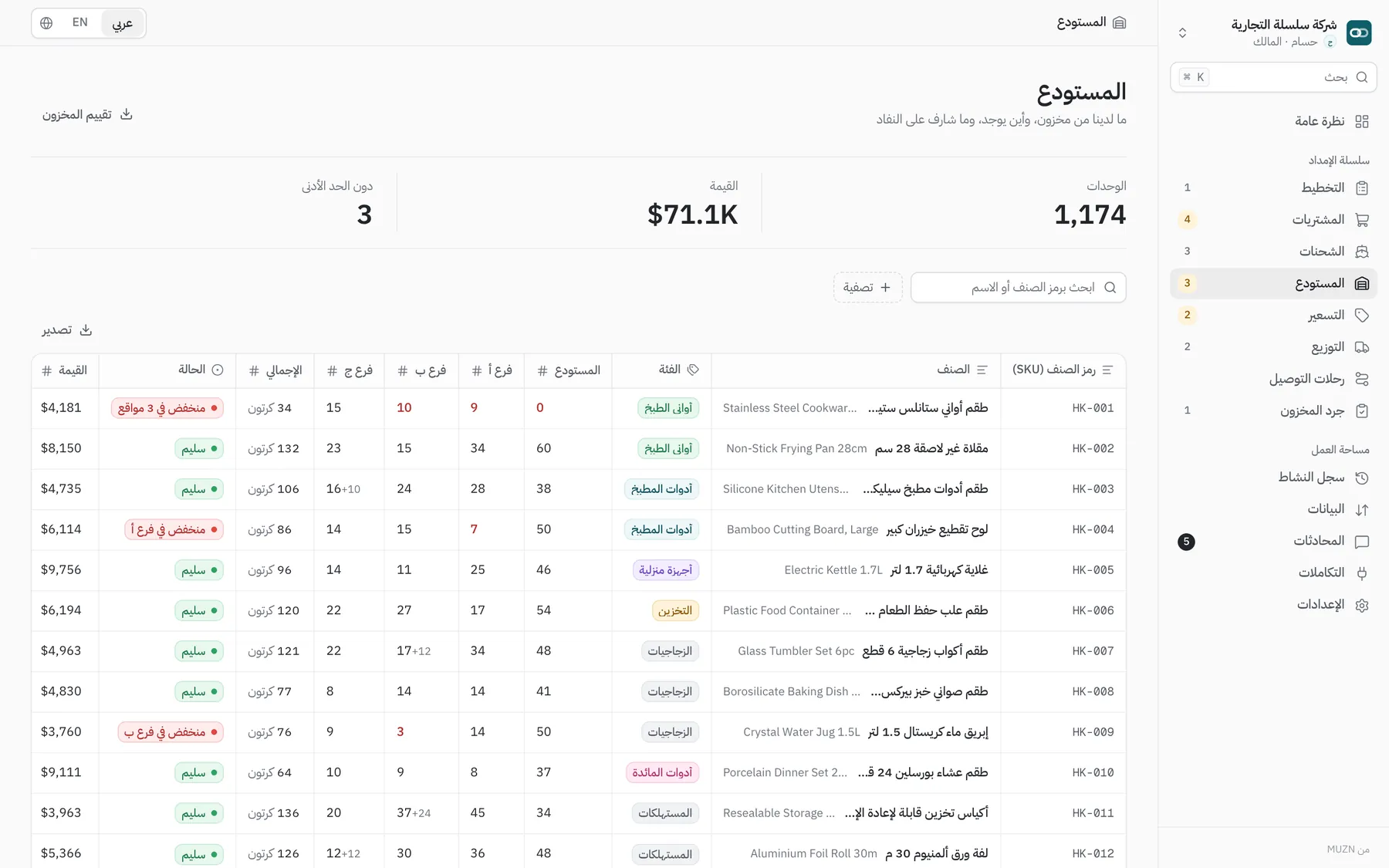
Real screens from the platform. Demo data.
The chain
Every document carries on from the last one, so the number you see at the shelf traces back to the purchase order.
Suggests what to order and how much.
Purchase orders with approval limits.
Sea, air and road on one map.
Count what arrived, spread the costs.
See the new cost, fix outdated prices.
Refill branches, run trips, prove delivery.
Blind counts, approved variances.
Key capabilities
Silsila reads daily sales, supplier lead time, stock on hand and orders already placed, then suggests quantities per supplier. Approve the plan and the draft purchase orders are created for you.
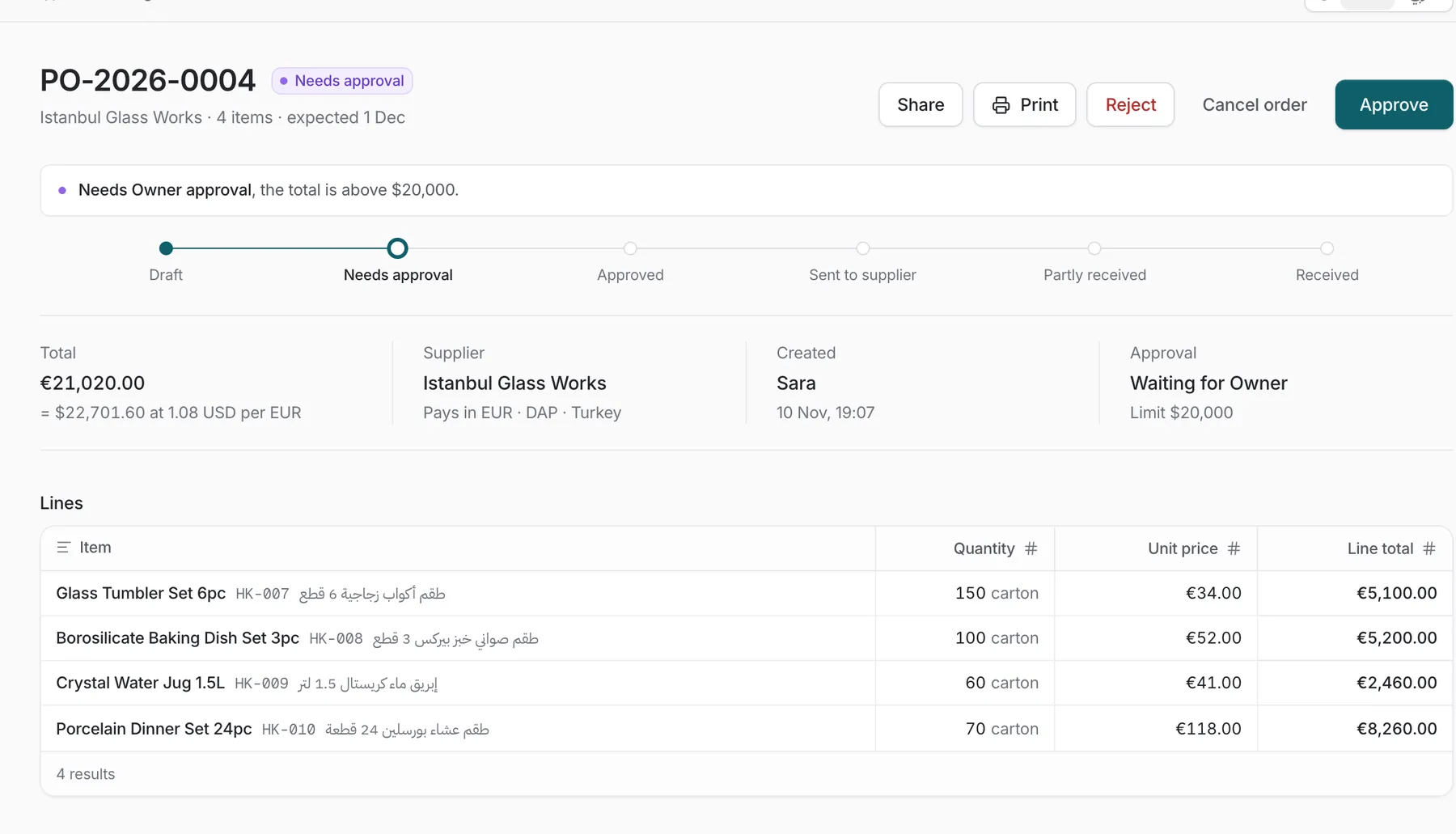
Orders above a set amount wait for the owner. Nobody can approve their own order. Foreign-currency totals show the converted value, and every step is recorded.
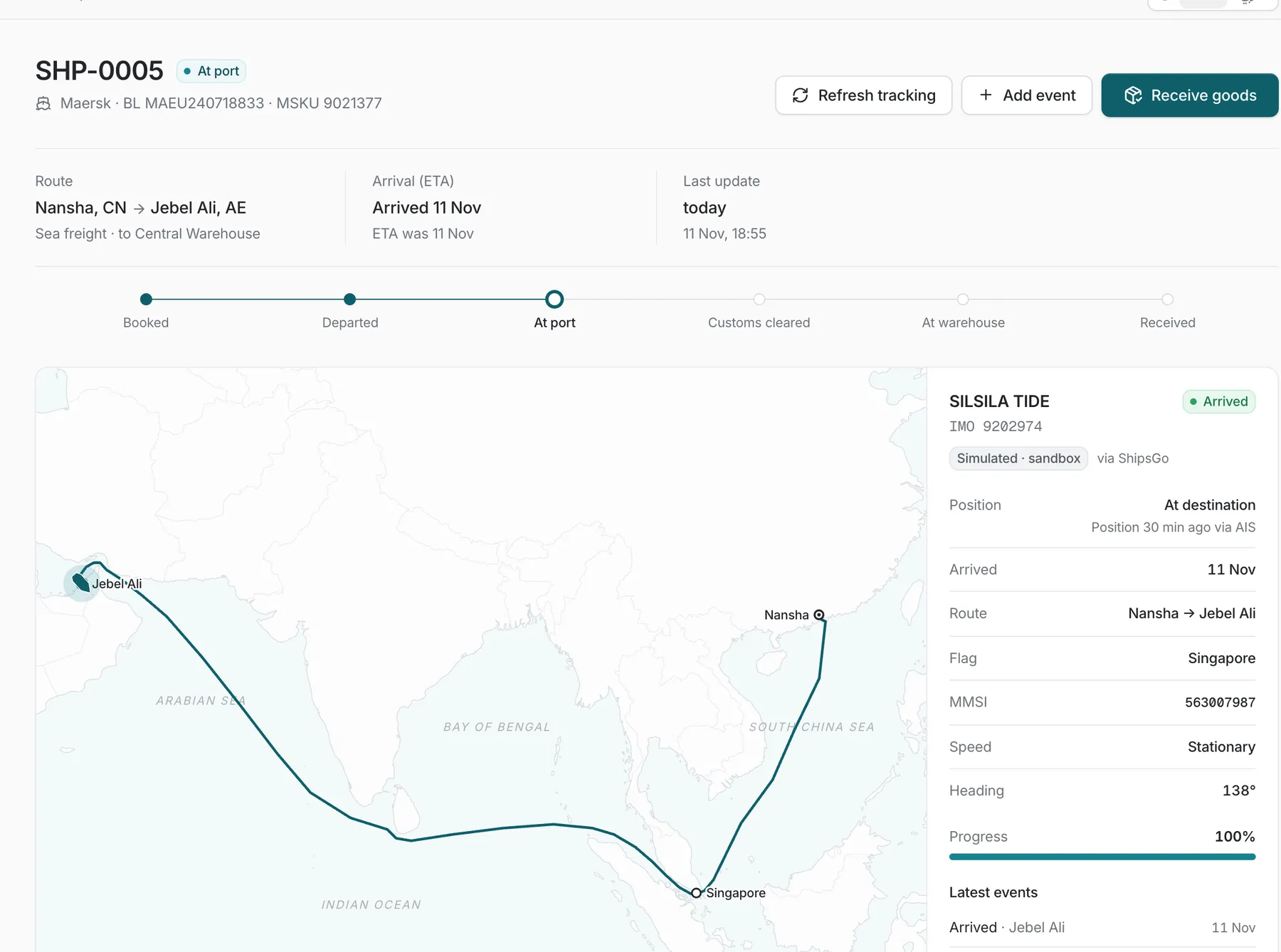
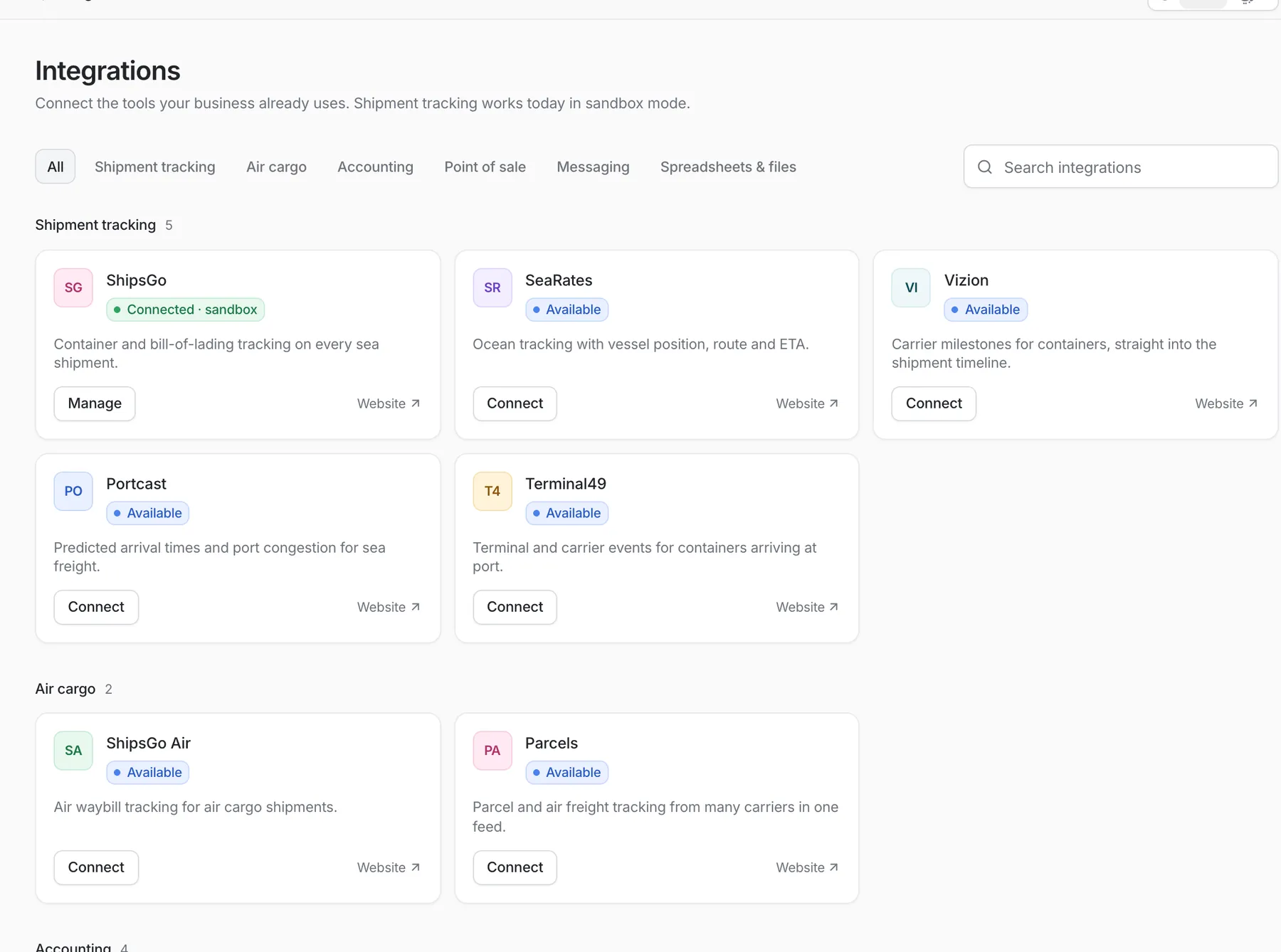
Track sea, air and road shipments with status, ETA and delay flags. Carrier positions arrive through tracking providers such as ShipsGo; live data needs a provider account. The demo runs on simulated tracking.
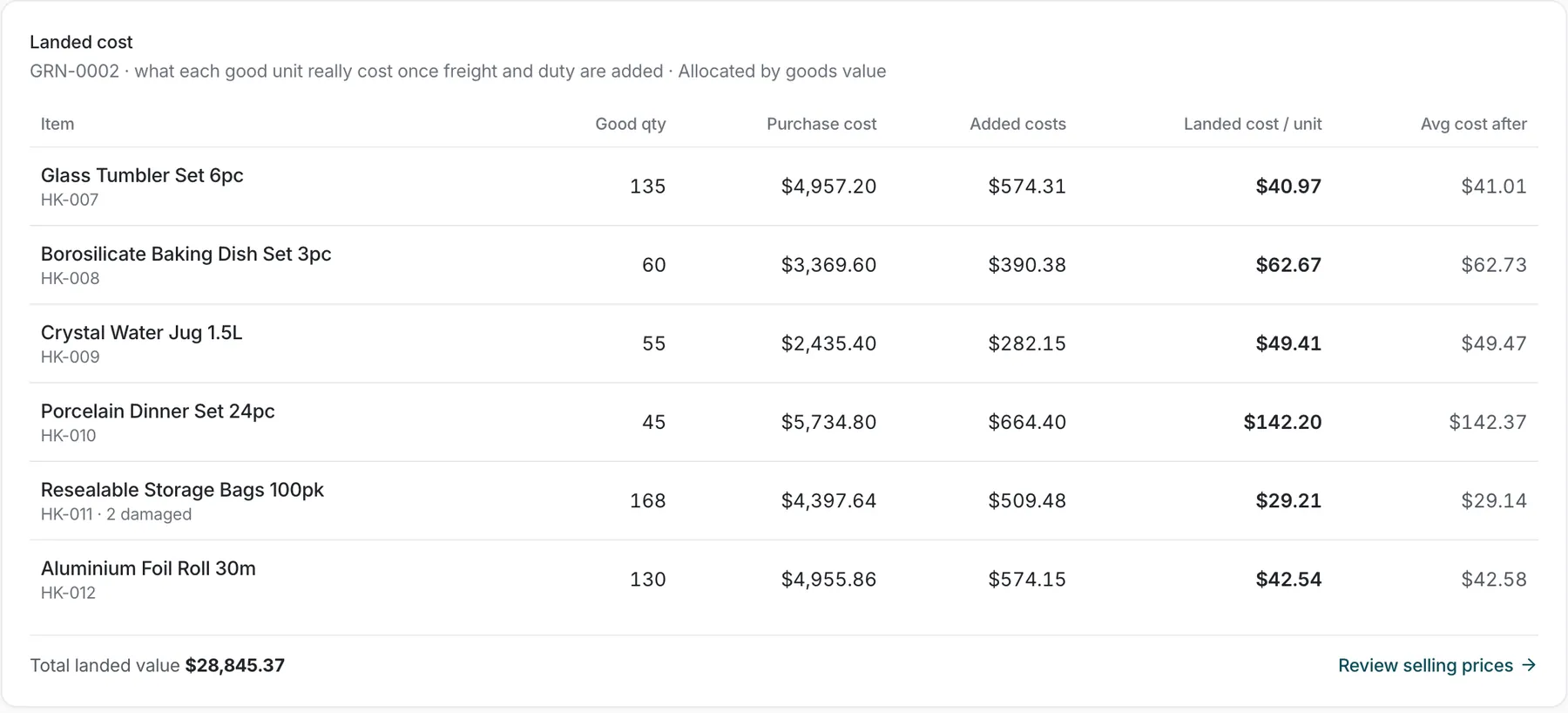
Freight, insurance, customs, clearance and local transport are spread across the goods by value. The moment goods are received, landed cost and average cost update. Damaged units are booked separately.
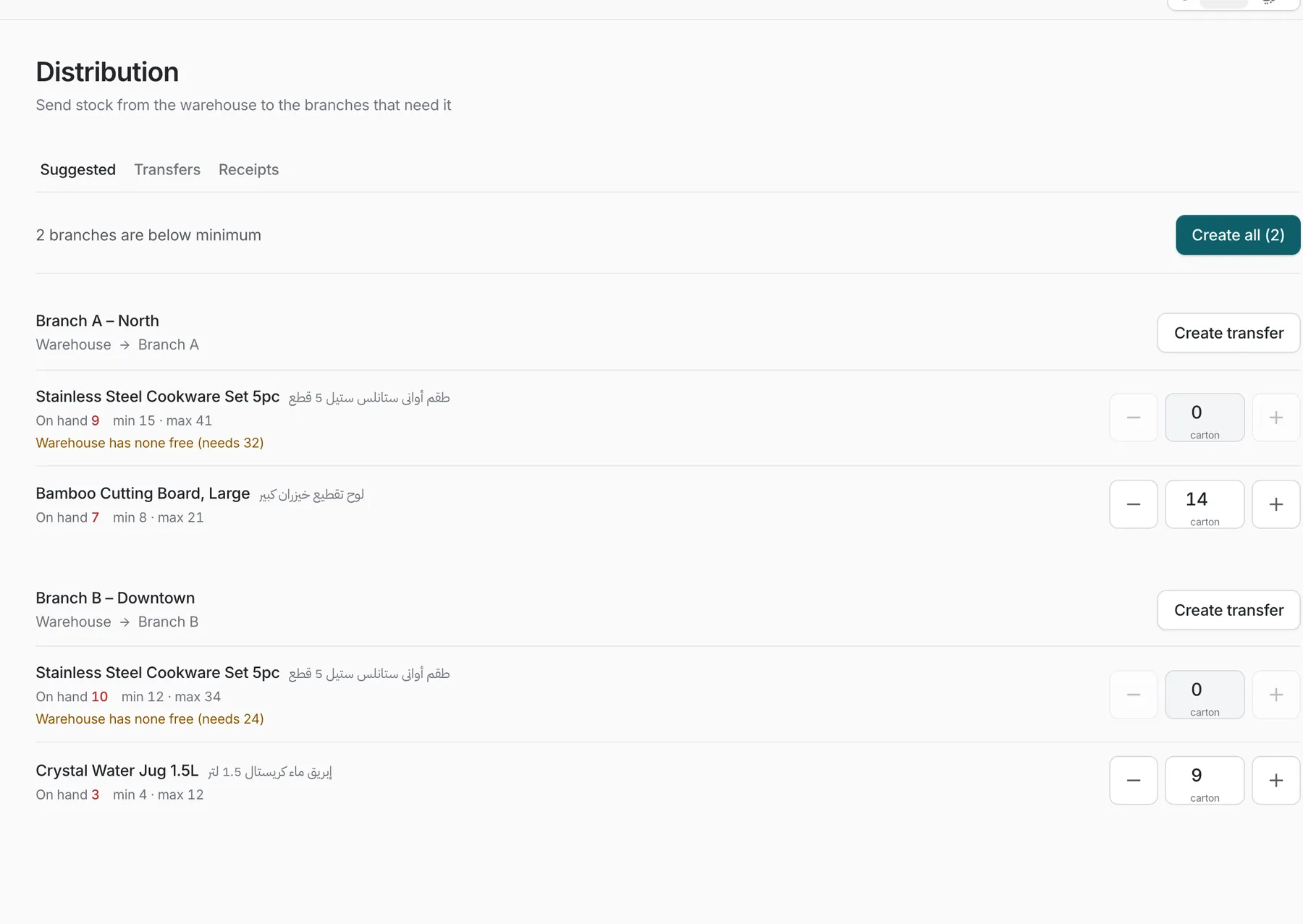
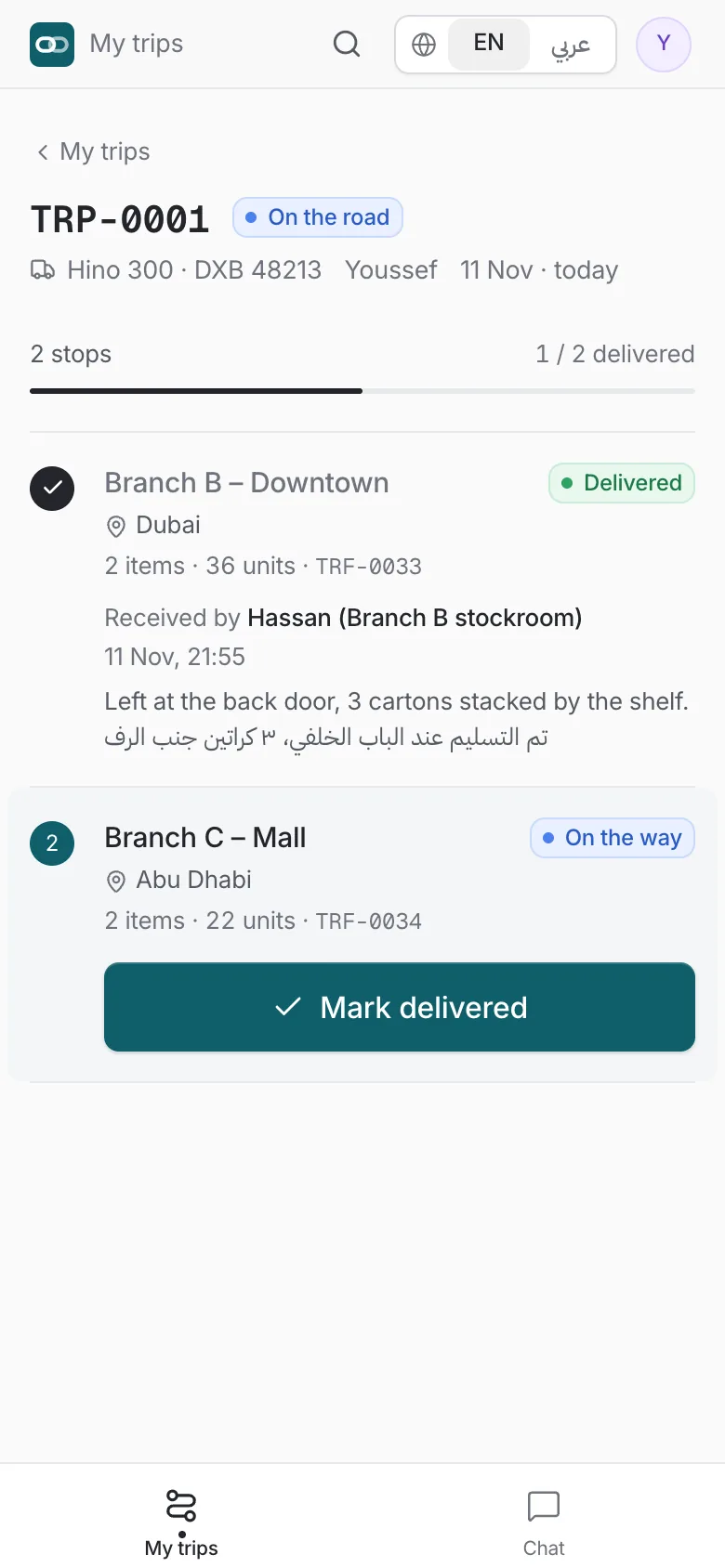
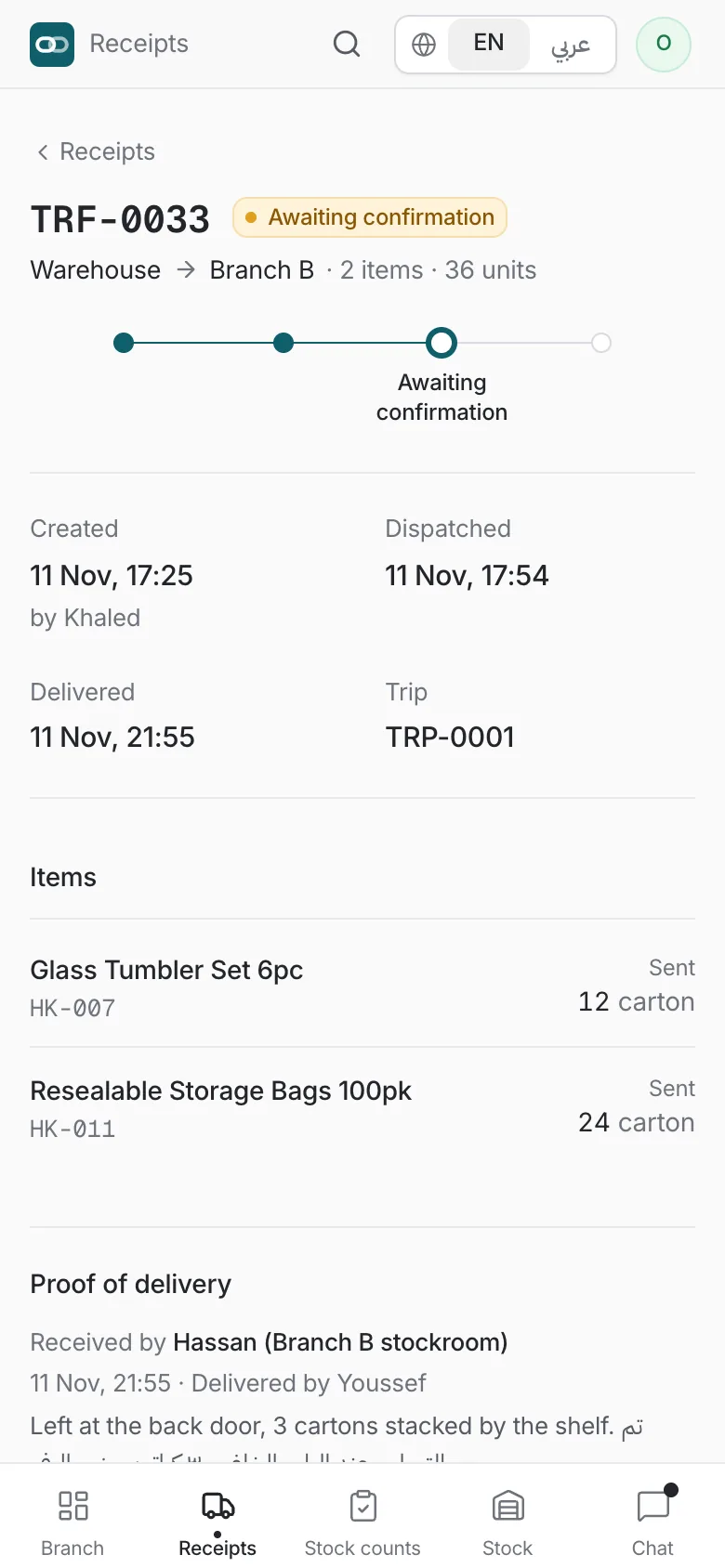
When a branch drops below its minimum, Silsila suggests the transfer. Drivers run the trip, mark each stop delivered, and the branch confirms who received what and when.
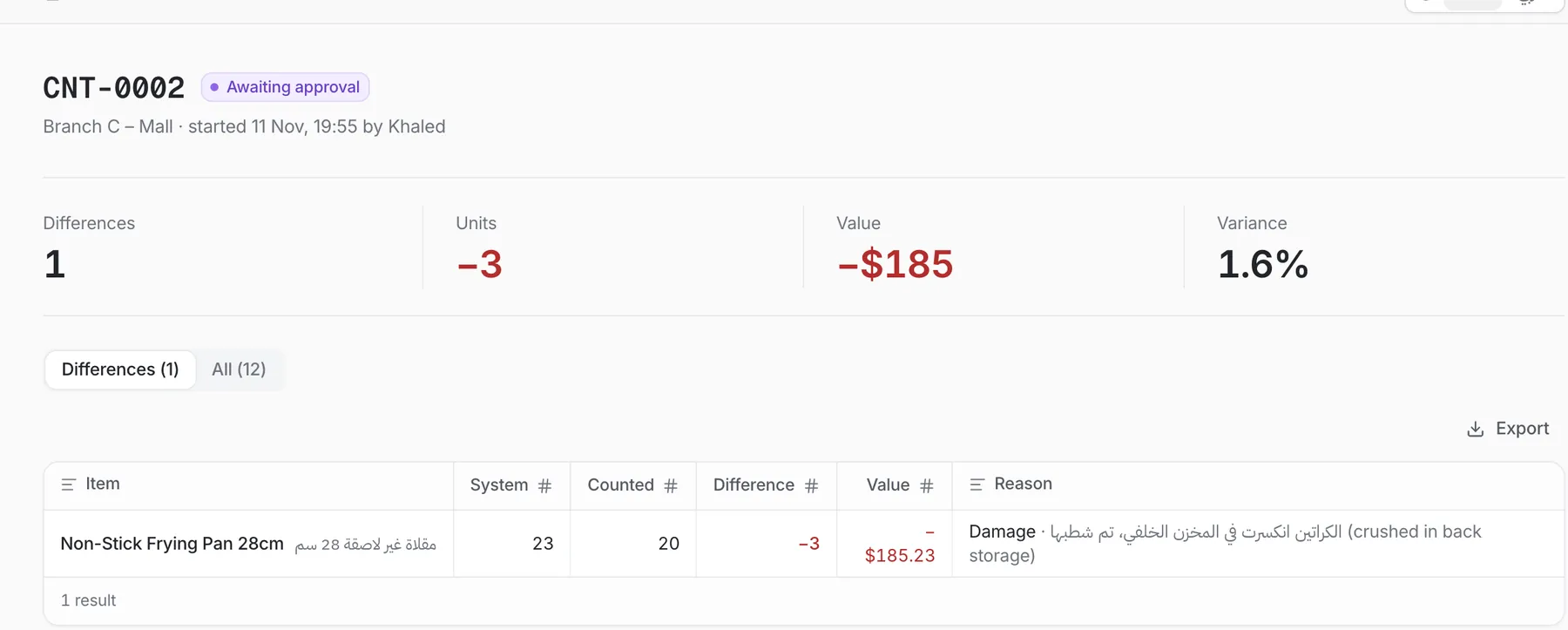
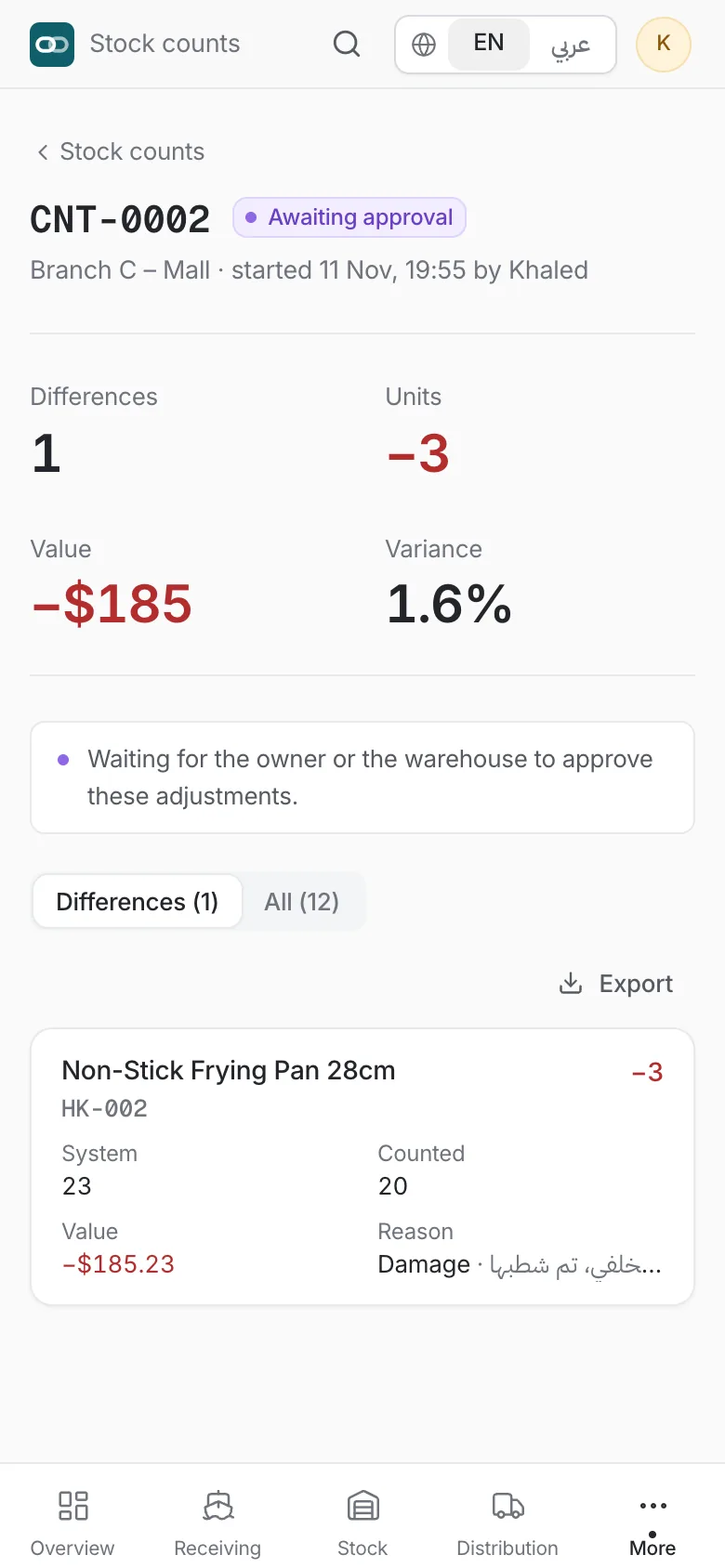
Counters enter what they see, not what the system expects. Differences carry a reason and wait for approval before the stock ledger changes.
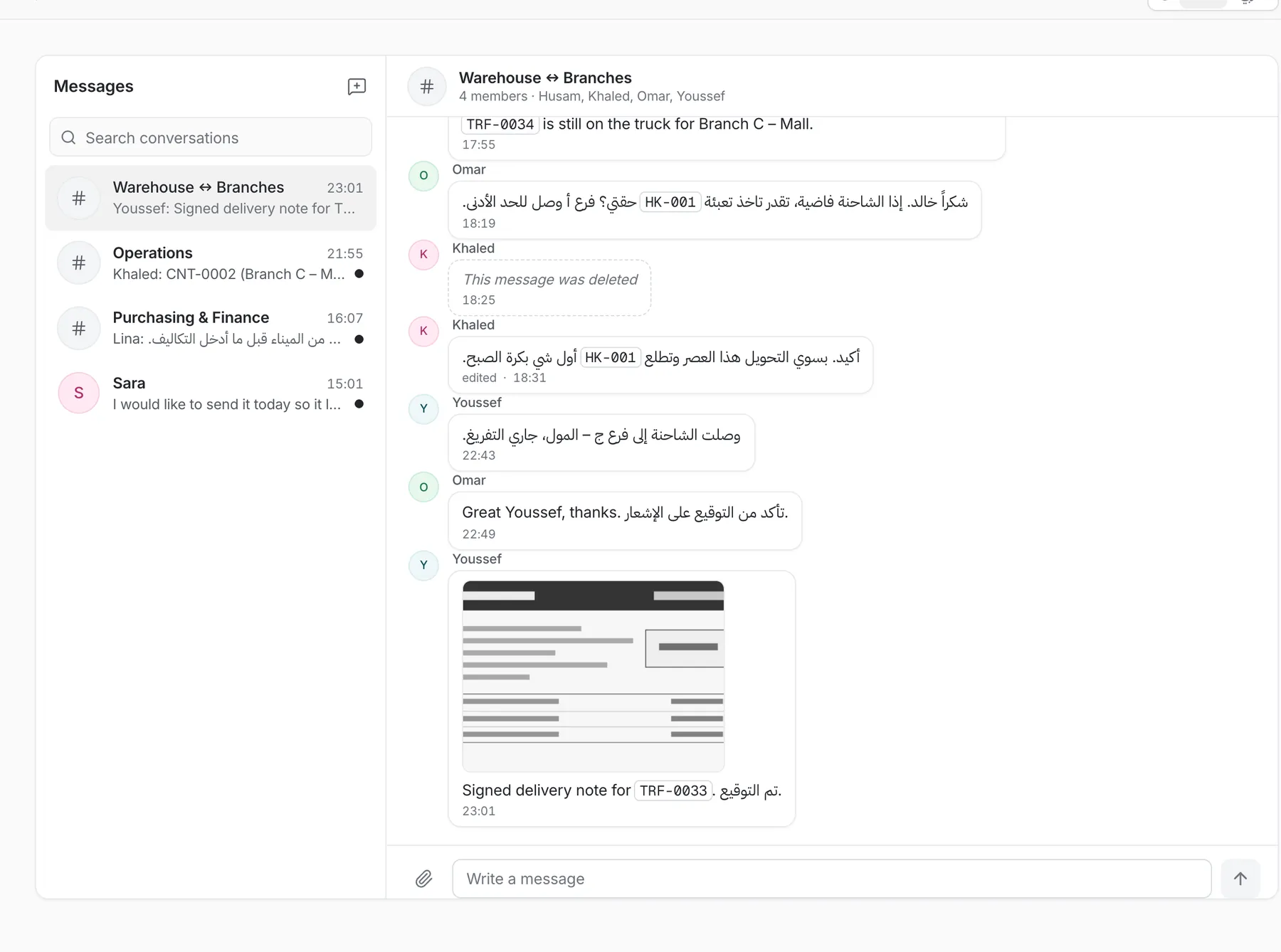
Channels and direct messages for warehouse, branches and purchasing. Document numbers like PO and SHP turn into links, and photos of delivery notes sit in the thread.
Import items, stock and sales from Excel or CSV and export any list. The integrations directory covers shipment tracking, air cargo, accounting, point of sale and messaging.
Mobile apps
Warehouse, branch and driver flows on the phone, connected live to the platform. Drivers close stops, branches confirm receipts, counters count at the shelf.
Included with your rollout
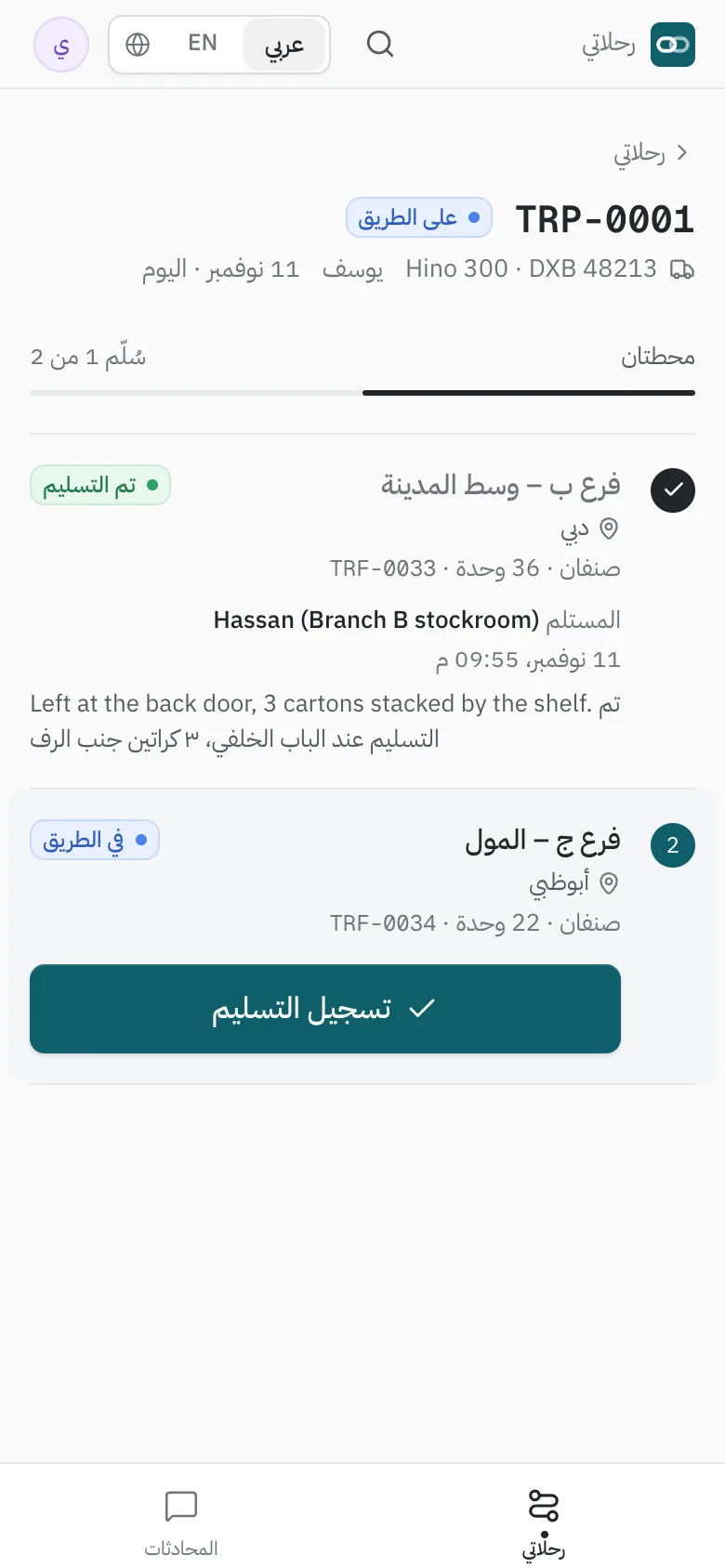
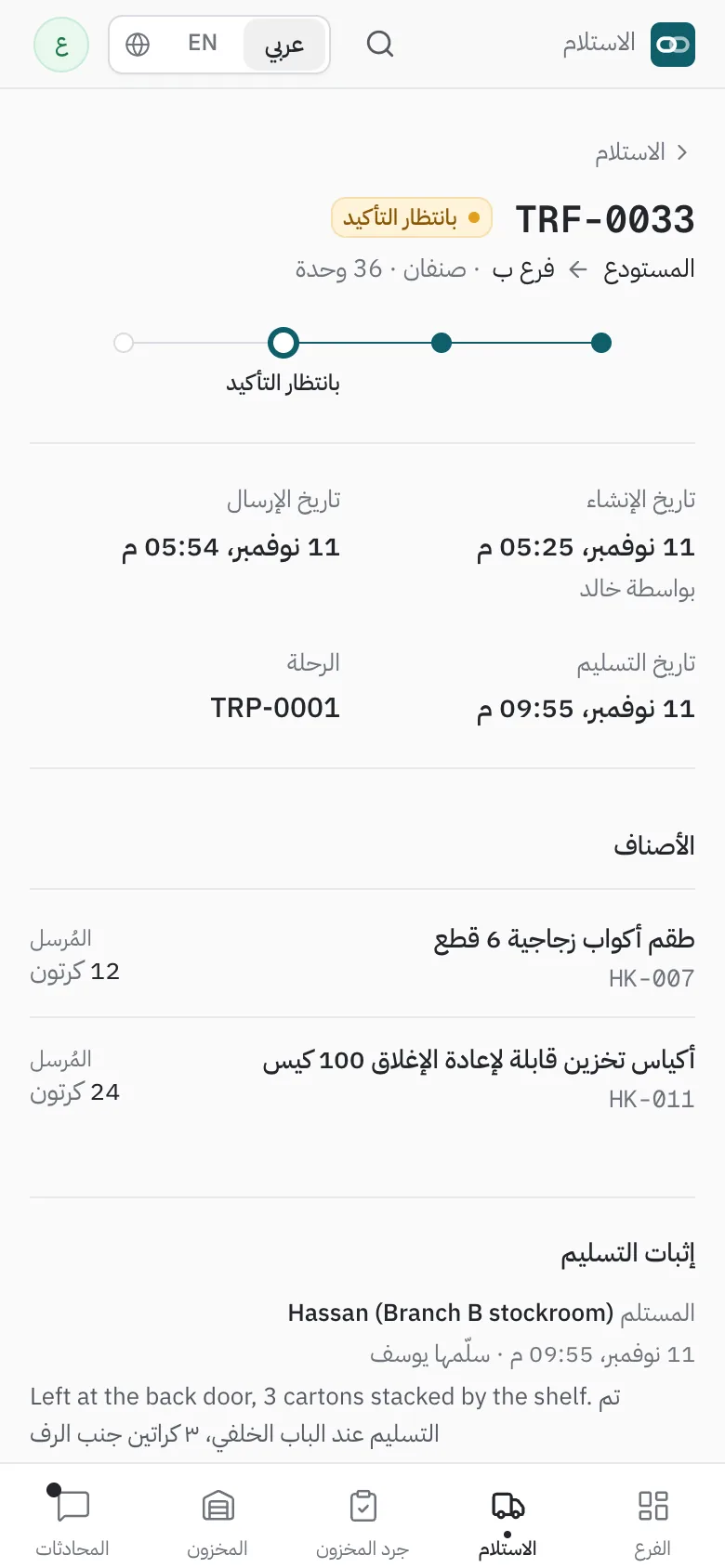
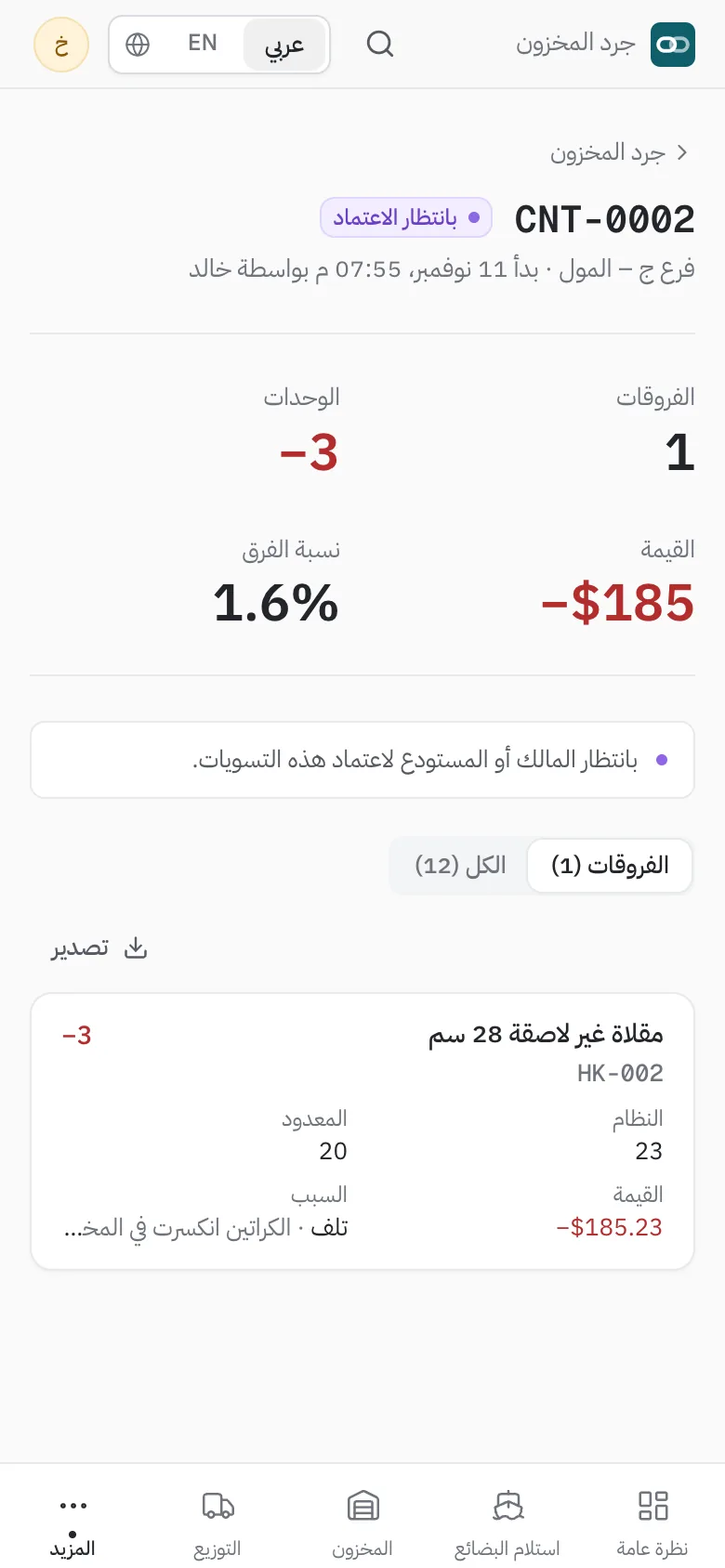
Arabic-first
Full right-to-left layout, not a mirrored afterthought. Item names, categories and documents live in both languages, and every person picks the language they work in.
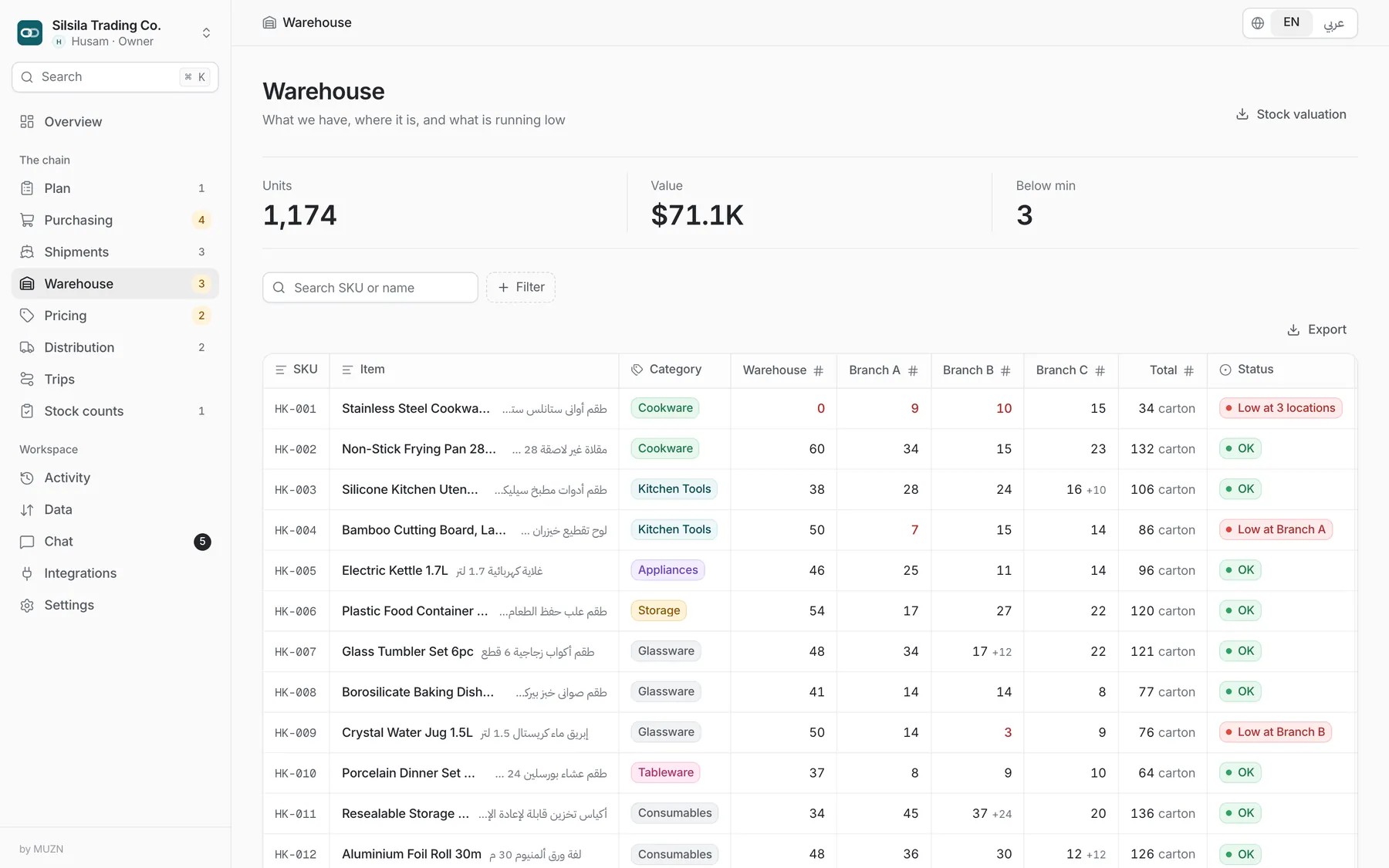
Trust
Owner, purchasing, warehouse, branch manager, driver and finance each see and do only what their job needs.
No self-approval. Orders above a limit and stock adjustments need a second person.
Every action is recorded with who, what and when, and is searchable by document.
Dedicated or private environments can be agreed during discovery.
Rollout
We map your branches, items, suppliers and approval rules.
Items, stock, suppliers, roles and limits are loaded and set up.
Short sessions for purchasing, warehouse, branches and drivers.
Switch over, with support while the first orders move through.
FAQ
Importers and distributors that buy abroad, hold stock in a warehouse and sell or supply through branches or shops.
Yes. Screens, forms and documents run right to left, and items carry English and Arabic names. Each user chooses their language.
Shipments, statuses and the map are built in. Live carrier and vessel positions come through tracking providers such as ShipsGo and need a provider account. The demo uses simulated tracking data.
Yes. Items, suppliers, stock and sales can be imported from Excel or CSV, and any list can be exported.
No. The warehouse, branch and driver flows run on the phone, with Silsila for iOS and Android included with your rollout.
It depends on the number of branches and users. Request a demo and we will send a quote.
Hosting is part of discovery. Private and dedicated options are available. Roles, approval limits and a full audit trail are built in.
MUZN, a U.S. holding company and software group (muzn.org).
Tell us your company, country and number of branches. We will set up a walkthrough with your kind of data.